AI agent automation pipeline
n8n orchestrates an AI agent in Docker; nothing runs without human approval in chat
A system running 24/7 on my VPS: requests come in through chat, an AI agent analyzes them inside a container and returns a summary with buttons. Long-running tasks start only once a person approves.
No public link: it's a private system, shown with screenshots.
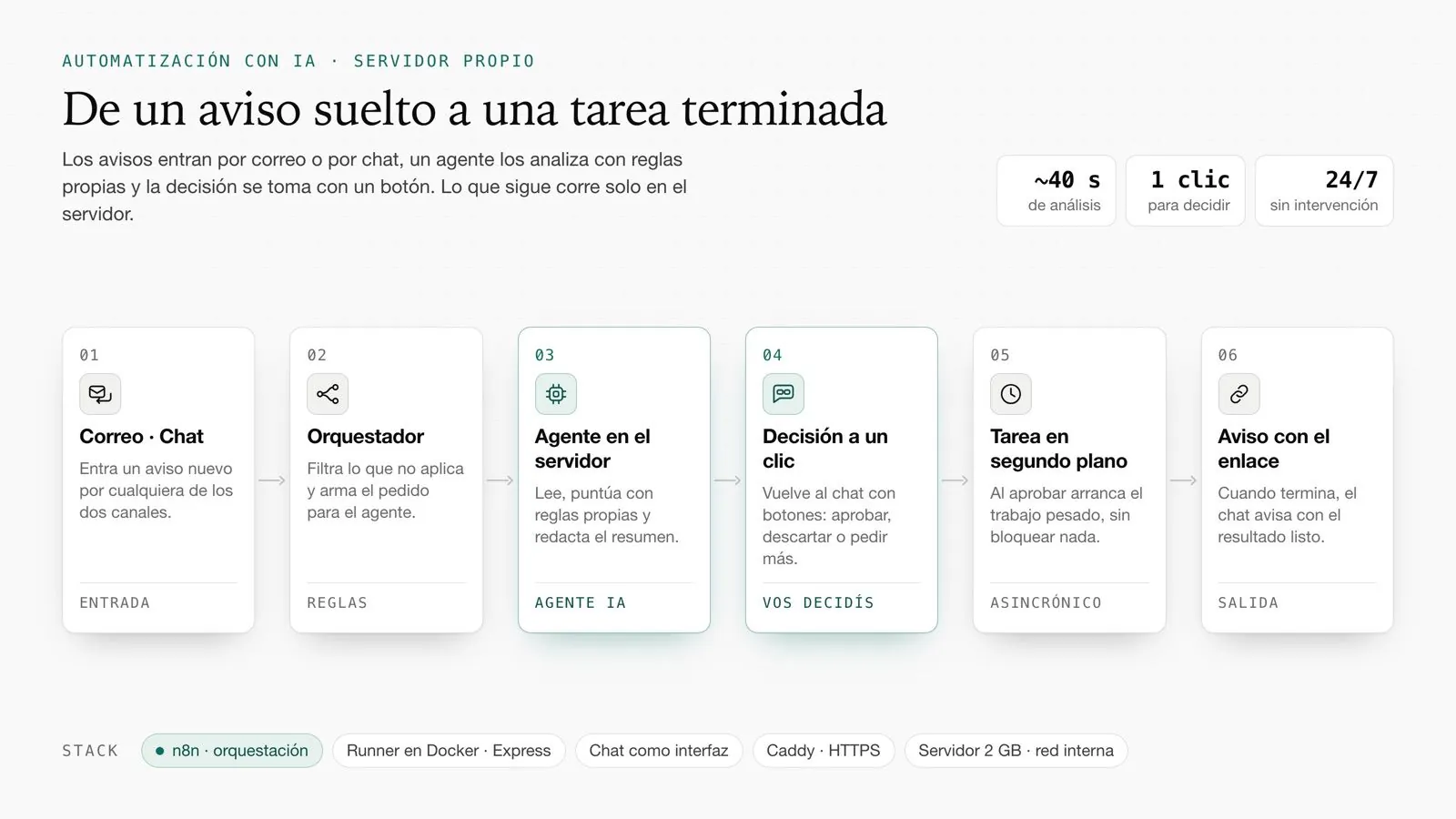
Illustrative diagram, sample data.
Context
Analyzing each request by hand takes time and judgment varies from day to day. Some actions are also long (research, build, deploy) and shouldn't go out without someone reviewing them. Everything had to fit on a 1 vCPU / 2 GB RAM server, where an AI agent can run out of memory mid-task.
Solution
n8n receives the message and calls an in-house runner (Express) that executes a headless AI agent inside Docker, with the same instructions and tools I use locally. The result goes back to the chat with buttons; approving queues a long task that reports back with a link when done.
The runner protects the machine: one job at a time, a persistent queue, timeouts, an inactivity watchdog and a switch to a lighter model if the system kills it for memory.
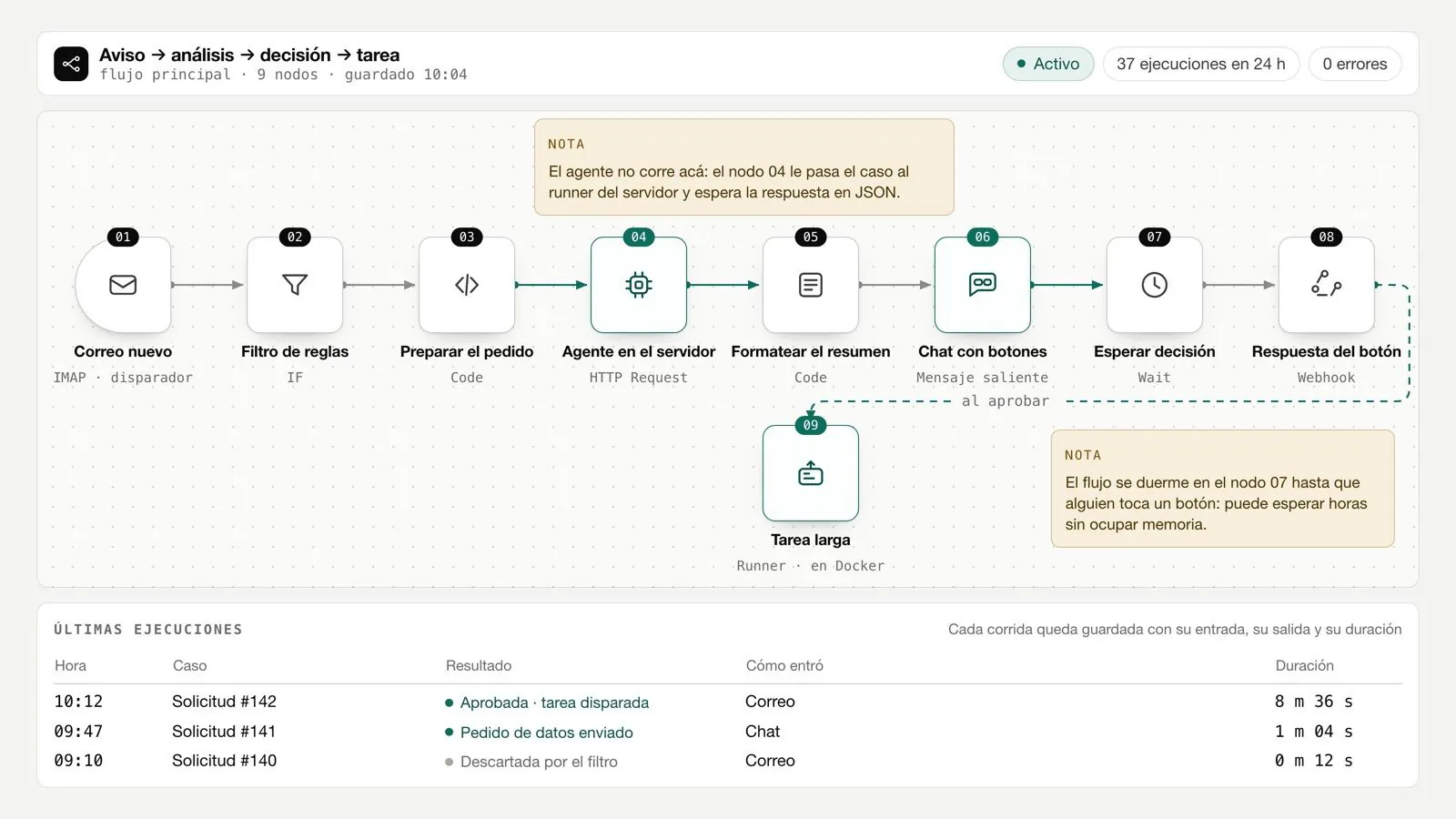
Architecture
A request reaches the Telegram bot
n8n validates the chat and picks the action
n8n calls the runner over Docker's internal network, with a secret header
The runner queues and runs the AI agent with a timeout and inactivity watchdog
The analysis returns to the chat with buttons: approve, change or discard
On approval, the long task is queued in the background (returns 202) and reports progress
When done, a header-validated webhook posts the link in the chat
Components
- Private Telegram bot: the router silently drops any unauthorized chat
- Caddy: automatic TLS, the only public entry point
- n8n: one 37-node flow (router, action switch, runner calls, replies, completion webhook)
- Express runner in Docker, no published ports; requires a secret header
- Headless AI agent + headless Chromium for screenshots + official docs via MCP
- Disk-persisted queue that survives restarts
Technical decisions
Human in the loop, always
Nothing goes out or starts without a button press. Why: the agent supports decisions, it doesn't make them.
Trade-off the system isn't fully autonomous and waits for someone to answer.
Runner with no public ports
Only n8n reaches it over Docker's internal network, with a secret header; the completion webhook validates the same header.
Trade-off debugging means exec-ing into the container.
One job at a time, persisted queue
Two agents don't fit in 2 GB; the queue is saved to disk and async tasks resume on their own after a restart.
Trade-off when there's a queue, the wait shows.
Inactivity watchdog
If the agent emits no event for 8 minutes, it's stopped. It came out of three jobs that died at the 25-minute mark waiting on a hung Chromium: the worst case dropped to about 8.
Trade-off a legitimate task that stays silent for more than 8 minutes is also stopped.
Model fallback on out-of-memory
If the system kills the agent without an error (the typical OOM-killer signature on 2 GB), it retries with a lighter model, resuming the partial work.
Trade-off that case completes on a less capable model.
Results
- Runs 24/7 on a 1 vCPU / 2 GB VPS
- Worst case for a hung job: from 25 to ~8 minutes
- Rotated logs (10 MB × 3) and n8n history capped at 7 days / 5,000 runs
- Restored the same day after the 8-Sep incident, with its database intact
Stack
- n8n
- Node.js 22 + Express
- Docker Compose
- Caddy
- headless AI agent (Claude Code)
- headless Chromium
- Telegram Bot API
- GitHub CLI
- Vercel CLI